RGrizzzz
Administrator
Same for me. It tends to happen on one camera we have at the bottom of a hill along the creek.Mine look like that on foggy nights. Any chance that was the issue?

Same for me. It tends to happen on one camera we have at the bottom of a hill along the creek.Mine look like that on foggy nights. Any chance that was the issue?
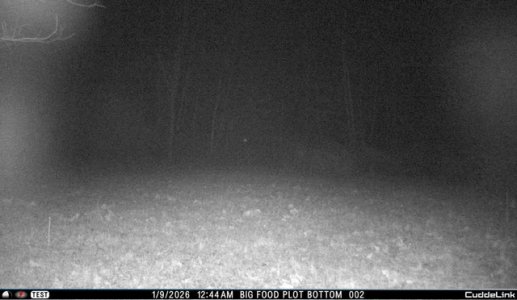
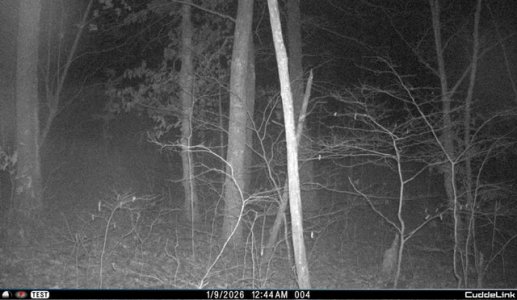
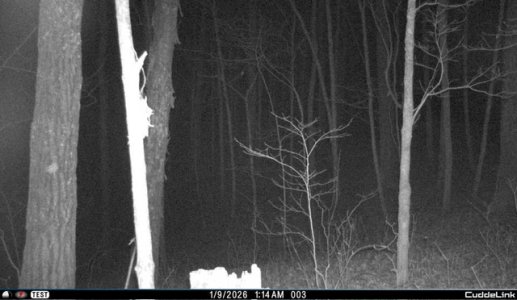
those fuzzy pics are almost certainly fog. I'm in the field at night maybe 10 times a year, camp out maybe 20 days a year, and not uncommon to have way more fog than you'd think. When camping, ppl figure it out when they wake up and all the stuff they left outside is soaking wet, or frozen wet during the cold.
I have always had my pics sent to a gmail acct i created solely for these pics. Always have mine set to 1 hr intervals. I too was not getting some pics to my email, but were on the app. I know this sounds stupid, but check your spam. That's where I found mine.
Note that I've seen others (and cuddeback) comment on how certain cell carriers react differently to emails from cuddeback, up to the point where they're blocked. My carrier is T-mobile, and I haven't had an issues like that. Just some emails randomly going to spam out of the blue.
Yes, historically, the system is a little buggy, but imo its still well worth the minor aggravations

Chaded, I am running into the same issue. My daylight pictures are fine, but night is much like yours, even on what I consider to be a clear night. To test this, I guess I need to walk in front of the cameras on a clear, low humidity evening to test things out. I hope we can both get this fixed. I also double checked to ensure there were no obstructions, such as a branch, dirty lens.I don’t believe it was foggy then. I’m not sure if it had anything to do with it but i did change the led power to bright and commanded photos be taken around the same time and the pictures are much clearer.
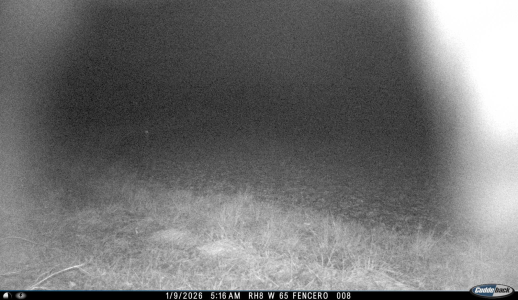
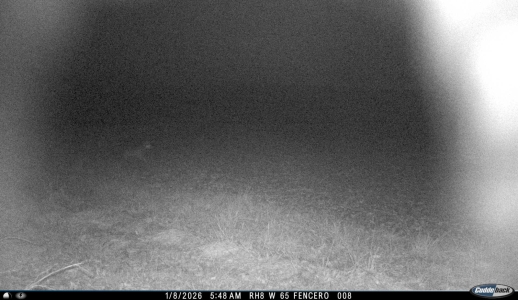

if they are in the app they are being emailed, check your junk file or spam - close will give you the best image but you need something in the background for the ir to reflect off of. commands take a couple connections with the home to take place and then be sent they dont occur in real time.Here are the same cameras that I commanded photos from around the same time. Not sure if adjusting the led power made the difference or what.
On another note, these pictures are being commanded to take photos around 7-8 pm but are not being taken until almost 1 am. I’m not sure when they are going to the app because I’m obviously asleep. The cell home has good service and all cameras have a link level of 38 or above. Cell rate is set to 1 hour.
I have had the cameras running for a couple days and so far it has only sent pictures once to my email, all other times it goes to app. Not a big deal as long as it is sending them somewhere but I thought that might be inconsistent? Yesterday under “my devices” it had my cell home camera ID as one of my remote cameras while its nickname was of the actual cell home. It is back to being correct today. Just seems a little buggy..
View attachment 87573
View attachment 87571
View attachment 87572
it appears you have light leak on your black flash, this can be fixed at cuddeback or some have done it themselves with a small piece of foam. Also be sure you are on current firmware as if you are on an old version there was a correction for a halo look that was caused by the ir filter,Chaded, I am running into the same issue. My daylight pictures are fine, but night is much like yours, even on what I consider to be a clear night. To test this, I guess I need to walk in front of the cameras on a clear, low humidity evening to test things out. I hope we can both get this fixed. I also double checked to ensure there were no obstructions, such as a branch, dirty lens.
View attachment 87631
View attachment 87632
it appears you have light leak on your black flash, this can be fixed at cuddeback or some have done it themselves with a small piece of foam. Also be sure you are on current firmware as if you are on an old version there was a correction for a halo look that was caused by the ir filter,
John,it appears you have light leak on your black flash, this can be fixed at cuddeback or some have done it themselves with a small piece of foam. Also be sure you are on current firmware as if you are on an old version there was a correction for a halo look that was caused by the ir filter,
John,
Where would the small piece of foam go? I'd be happy to try that before sending it in. I am on 3.3.0/9.3.0 so the firmware should be good.
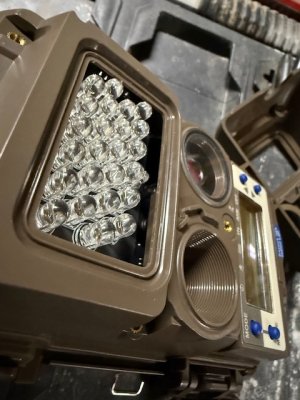
PM me yoru email address and ill send a video to you , for some reason i can t copy a link here today to the threadJohn,
Where would the small piece of foam go? I'd be happy to try that before sending it in. I am on 3.3.0/9.3.0 so the firmware should be good.
I believe push firmware updates require a Gen3 firmware release to work. I'd manually update them.@john volkman
I have a firmware question. I have a half dozen LL-2A and LL-3A cameras and an LL-CH. The firmwares range from 1.1 to 1.7. Should we update them all manually or just wait until 3.3 is automatically pushed to them?
The website says they'll be remotely updated in early 2026. Do you know when the push will happen and will this work with such old firmware versions?
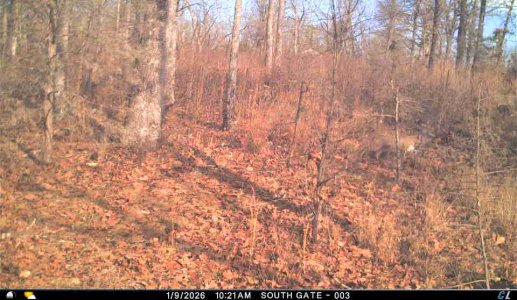
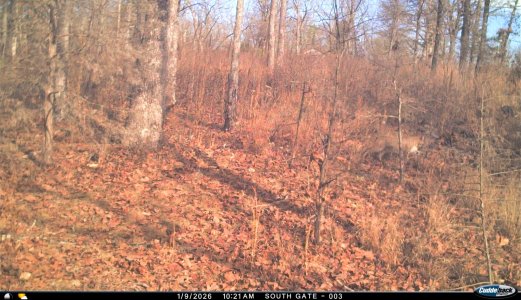
I started thinking about this because I want to remotely receive high res pics. We remotely saw what looked like a cougar. After pulling the sd card and seeing the high res pic, turns out it's a large bobcat.
update all manually to 3.3/9.3 and future updates will be attempted to be pushed over the air , its likely even with early gen 3 updates that users will need to manually update 3.3 anyways to get future OTA@john volkman
I have a firmware question. I have a half dozen LL-2A and LL-3A cameras and an LL-CH. The firmwares range from 1.1 to 1.7. Should we update them all manually or just wait until 3.3 is automatically pushed to them?
The website says they'll be remotely updated in early 2026. Do you know when the push will happen and will this work with such old firmware versions?
I started thinking about this because I want to remotely receive high res pics. We remotely saw what looked like a cougar. After pulling the sd card and seeing the high res pic, turns out it's a large bobcat.
Has the testing been that inconsistent that users will be warned manual intervention is likely required? If that's the case, I'll suggest a user/account approval to push OTA firmware and possibly the ability to schedule it. (For when I can be at camp)update all manually to 3.3/9.3 and future updates will be attempted to be pushed over the air , its likely even with early gen 3 updates that users will need to manually update 3.3 anyways to get future OTA
Yes they have been warned, it's on the website in the notes of the firmware update. Gen 3 homes will take the 3.3 OTA update, but all of the remotes in a specific network may not load 3.3 from the home, This is why we are recommending people manually load 3.3 to all cameras when its convenient to have best performance . After 3.3 is on a network - i don't think they will offer account approval for future updates, as that puts another additional bottleneck in customer service. Keep in mind one of the main reasons for Gen 3 being launched is eventually all firmware to be done OTA as it's needed , thus improving the system whenever needed.Has the testing been that inconsistent that users will be warned manual intervention is likely required? If that's the case, I'll suggest a user/account approval to push OTA firmware and possibly the ability to schedule it. (For when I can be at camp)
What if there's a K series home in the mix?Yes they have been warned, it's on the website in the notes of the firmware update. Gen 3 homes will take the 3.3 OTA update, but all of the remotes in a specific network may not load 3.3 from the home, This is why we are recommending people manually load 3.3 to all cameras when its convenient to have best performance . After 3.3 is on a network - i don't think they will offer account approval for future updates, as that puts another additional bottleneck in customer service. Keep in mind one of the main reasons for Gen 3 being launched is eventually all firmware to be done OTA as it's needed , thus improving the system whenever needed.
then you need to load 9.3 on the KWhat if there's a K series home in the mix?