• If you are posting pictures, and they aren't posting in the correct orientation, please flush your browser cache and try again.

    Edge
    Safari/iOS
    Chrome

Cuddelink L series Q & A

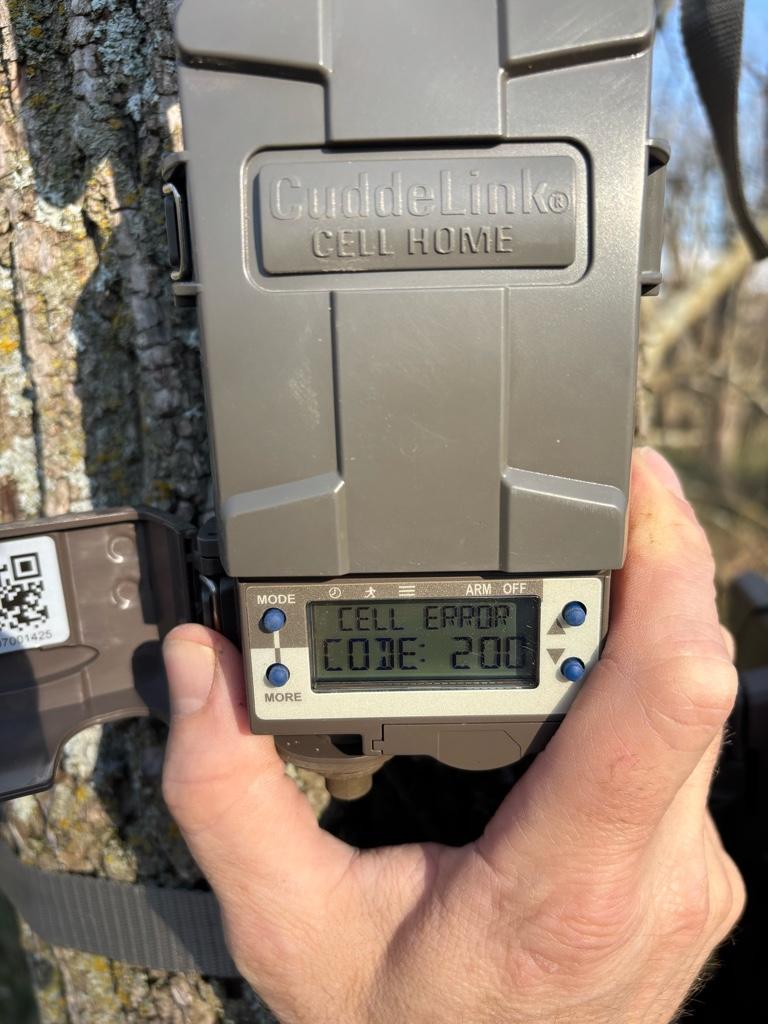
I swapped out my K camera for an L a few months ago. It was working just fine for a month or so. But the last 4 weeks or so, I’ve not been getting pics from most of the cameras. I went the the L Home unit, and it when I did a Cell Chexk, it threw a 200 error. I swapped the battery and it switched from error to Success on the cell.

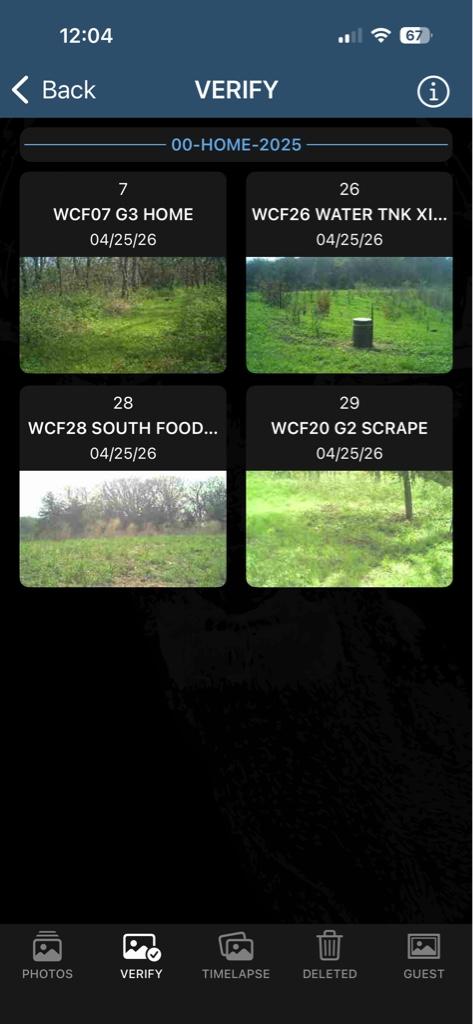
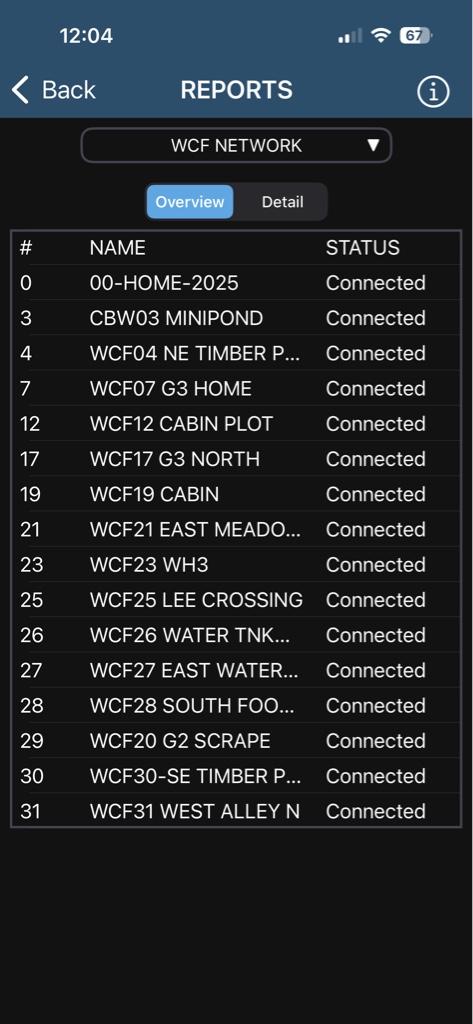
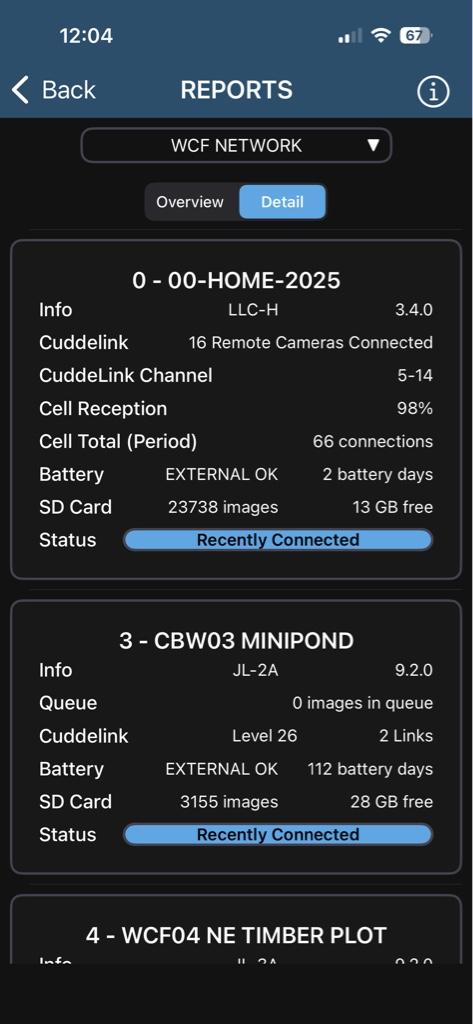
But I’m not getting pics from over half of my cameras, even though they say they are connected. See images below. What else do I need to check?
da31015dfdbe63ae23b5c033ef712bd3.jpg

e1df5733501d5197ee88aeb74db87cdf.jpg

d6ec57303e69d5bf19e92d32ec8f6674.jpg

310f85e6e09f7113713a5e925dae23ad.jpg

f40846053ad313d105ec6ee867afa3bb.jpg

59ef39aab1daea5787f3ccf0d46105c5.jpg


Sent from my iPhone using Tapatalk
 
I swapped out my K camera for an L a few months ago. It was working just fine for a month or so. But the last 4 weeks or so, I’ve not been getting pics from most of the cameras. I went the the L Home unit, and it when I did a Cell Chexk, it threw a 200 error. I swapped the battery and it switched from error to Success on the cell.

But I’m not getting pics from over half of my cameras, even though they say they are connected. See images below. What else do I need to check?
da31015dfdbe63ae23b5c033ef712bd3.jpg

e1df5733501d5197ee88aeb74db87cdf.jpg

d6ec57303e69d5bf19e92d32ec8f6674.jpg

310f85e6e09f7113713a5e925dae23ad.jpg

f40846053ad313d105ec6ee867afa3bb.jpg

59ef39aab1daea5787f3ccf0d46105c5.jpg


Sent from my iPhone using Tapatalk
I'd go to the problematic cameras and run a connection test if they aren't displaying any errors. The settings are likely correct, if they were working

I'm disappointed in the status field in the report. I wish there were better error messages. I have a camera that has memory card issues and stops taking pics, but reports as connected. It would be handy if the connection could pass that error message along to the home camera so I knew I needed to go to the camera to do with a problem.
 
Agree w/ Grizz. I've had similar issues awhile back. Eventually went to each offending cam, shut down completely, powered back on, cell test and test email rec'd. Got my pics
Also agree that it should be possible for some software tweaks to help out with diagnostic issues on the status field report. Sure would be helpful, and possibly save me alot of fuel.
 
I'd go to the problematic cameras and run a connection test if they aren't displaying any errors. The settings are likely correct, if they were working

I'm disappointed in the status field in the report. I wish there were better error messages. I have a camera that has memory card issues and stops taking pics, but reports as connected. It would be handy if the connection could pass that error message along to the home camera so I knew I needed to go to the camera to do with a problem.

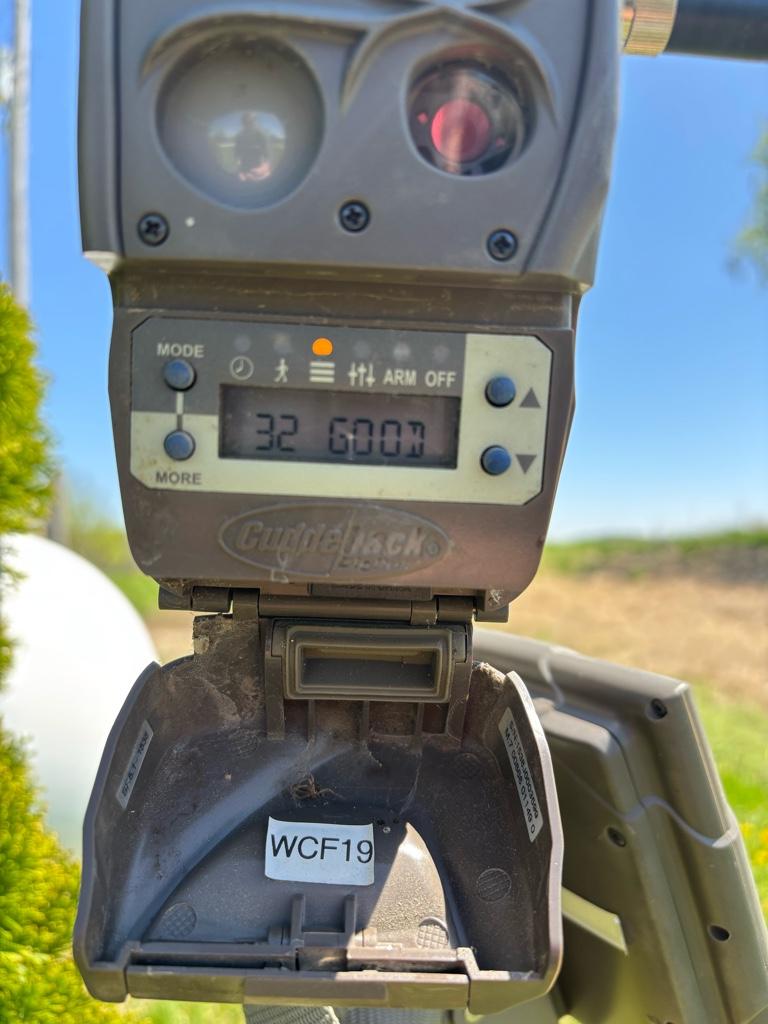
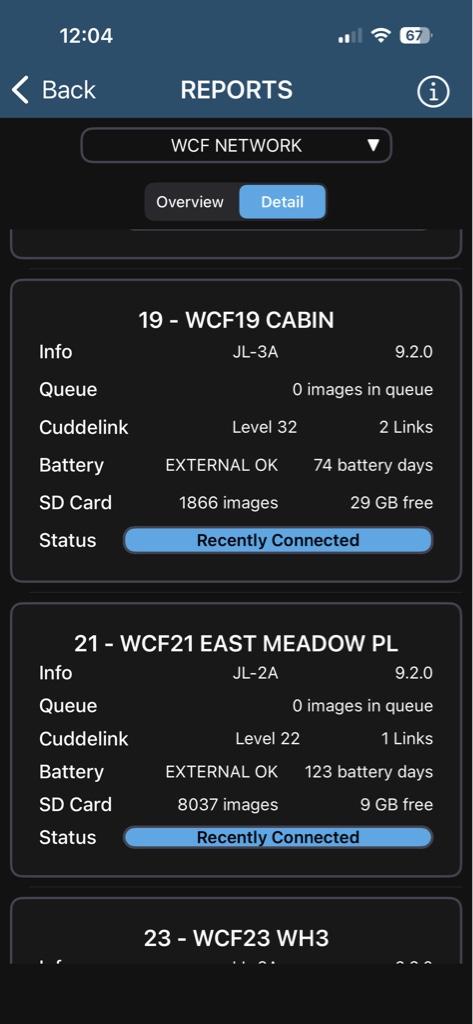
Thanks. That’s exactly what I checked. See the pic above that shoes camera 19 with a connection level of 32. Really weird.


Sent from my iPhone using Tapatalk
 
Agree w/ Grizz. I've had similar issues awhile back. Eventually went to each offending cam, shut down completely, powered back on, cell test and test email rec'd. Got my pics
Also agree that it should be possible for some software tweaks to help out with diagnostic issues on the status field report. Sure would be helpful, and possibly save me alot of fuel.

Good thought. I will try recycling/rebooting. Weird that it would show connection, though.


Sent from my iPhone using Tapatalk
 
I swapped out my K camera for an L a few months ago. It was working just fine for a month or so. But the last 4 weeks or so, I’ve not been getting pics from most of the cameras. I went the the L Home unit, and it when I did a Cell Chexk, it threw a 200 error. I swapped the battery and it switched from error to Success on the cell.

But I’m not getting pics from over half of my cameras, even though they say they are connected. See images below. What else do I need to check?
da31015dfdbe63ae23b5c033ef712bd3.jpg

e1df5733501d5197ee88aeb74db87cdf.jpg

d6ec57303e69d5bf19e92d32ec8f6674.jpg

310f85e6e09f7113713a5e925dae23ad.jpg

f40846053ad313d105ec6ee867afa3bb.jpg

59ef39aab1daea5787f3ccf0d46105c5.jpg


Sent from my iPhone using Tapatalk
first thing i would do is update those cameras on 9.2 to 9.4 , and any l series not on 3.4 to that as well and make sure your cell rate isnt shorter than 1 hour
 
  • Like
Reactions: cbw
first thing i would do is update those cameras on 9.2 to 9.4 , and any l series not on 3.4 to that as well and make sure your cell rate isnt shorter than 1 hour

Will upgrade. And my cell rate is set to 5 pics.


Sent from my iPhone using Tapatalk
 
Back
Top