• If you are posting pictures, and they aren't posting in the correct orientation, please flush your browser cache and try again.

    Edge
    Safari/iOS
    Chrome

Buck "inventory"

Telemark

5 year old buck +
This year I started keeping track of the bucks on a particular piece of property via a trail cam on a food plot. I have to say that I really get a kick out of it. It's really interesting to see the differences in behavior of the individuals and their changes in behavior throughout the season. I also keep track of the antlerless deer, but it's basically impossible to tell them apart.

Is there a specific way to catalogue or organize pictures to keep track of bucks from year to year? Should I have just a few photos and videos to identify them, or should I have several over the course of the season in order to document behavior? Do people take notes and document methodically, or do you just try to remember which is which?

This is my first attempt at this, so I'm a bit overwhelmed and not sure how to proceed. I get several hundred photos a day.
 
I only keep what I consider to be special pictures, and I keep them by year and quarter. That might be up to 200 pictures per year. My memory is sharp enough that I can go back and find anything easily in just a few minutes.
 
Yea i had to become one of those "name every deer guys" LOL I didnt know any other way to be able to locate specific deer photos other than to create "name tags" for my bucks. I like to build a photo album of individual deer over the years.
 
Great topic. Love to hear how others organize their pics.

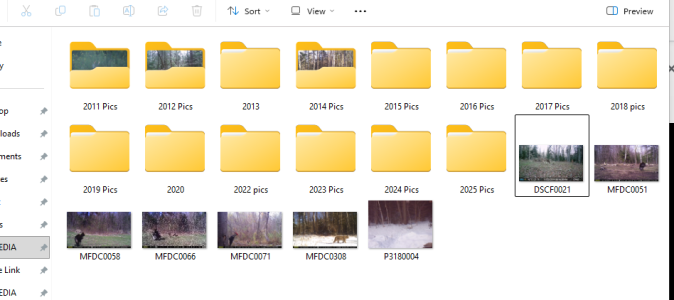
Here’s my folder structure:
- 2025 Bucks (put all buck pics in so can go back and review in future years)
- 2025 Possible Hitlist
- 2025 Management Bucks
- [unique buck name]
- bobcats
- unique/weird pictures
- trespassers

I usually have 2 to 5 deer that I’m tracking multi year on. That are in the unique name folders.

And if it’s on the hit list for that year, I really nerd out and have a spreadsheet that has an entry for each picture of the bucks that I’m tracking. It automatically pulls in the weather conditions at the specific time the buck was on camera. Super helpful to pattern across multiple years.


Sent from my iPhone using Tapatalk
 
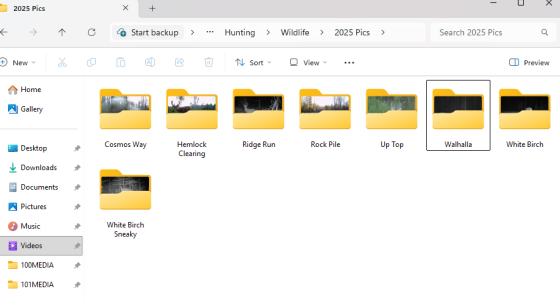
I set up folders on my desktop PC. Then as I pull cards I sort the buck pics I want to keep and drop them in my folders named for each camera.

Screenshot 2025-12-13 150229.png


Here is my 2025 folder.....


Screenshot 2025-12-13 150830.png
 
2 folders
Neighbors killed
Neighbors haven’t killed yet


I dont save a lot of pics. I’ll keep 2-3 pics of nicer deer, maybe a handful more of shooters, and pretty much delete the rest.
 
Last edited:
2 folders
Neighbors killed
Neighbors haven’t killed yet


I dont save a lot of pics. I’ll keep 2-3 of nicer deer, maybe a handful more of shooters, and pretty much delete the rest.
I'll make sure I keep multiple angles of basically anything 2 or older. It helps immensely in the future when trying to figure out how old a particular buck is.
 
This is good info. Now I have a good starting point. I'll ignore the forkies for now and focus on the ones 2 and older. I think I can delete about 90% of my photos and stop saving so many from now on.
 
If you have Amazon Prime, it includes unlimited Amazon Photos storage. You can create albums for individual bucks and just keep adding to it over the years for tracking.
 
Maybe I'll get my own Prime account. The One Drive keeps messing with my computer, and I'm getting really tired of it.
 
If you have Amazon Prime, it includes unlimited Amazon Photos storage. You can create albums for individual bucks and just keep adding to it over the years for tracking.

Similarly, we use Apples built in photo app—makes it super easy to save photos from the camera app and share folders with family.


Sent from my iPhone using Tapatalk
 
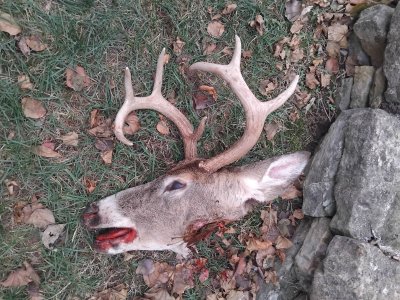
Well, I lost this guy to a collision a few days ago. I wondered why he wasn't coming around anymore, and.now I know.
IMG_20251211_222002.jpg
 
I go kind of overboard with cameras and inventorying wildlife photos and videos. I use solid-state external hardrives for local backup and use Google Photos for cloud storage and sharing the photos/videos with family and friends. I keep all decent photos/videos of any notable bucks that are 2.5 or older because it is fun to look back and make an album for ourselves or a neighbor if someone I know harvests a buck. Unless a buck is taken, all of the photos and videos are sorted by date within each hunting season and property (typically July to April, at which time a new year's folder is created). Side note, having accurate day and time is so crucial on cameras. I used to try and make folders for individual bucks but it became too messy and occasionally bucks are traveling together or you miss ID a buck and it screws things up. It's also nice to have some perspective when looking through photos and videos for how old/large a particular buck is compared to others if you are viewing them in the same album and from the same camera.

One thing that I used to do when I had a bit more time was to make a highlight youtube video of all of the photos and videos throughout a hunting season. It is a great way to view them all in one sitting on a larger screen and only takes a few hours to edit everything down.
 
2 folders
Neighbors killed
Neighbors haven’t killed yet


I dont save a lot of pics. I’ll keep 2-3 pics of nicer deer, maybe a handful more of shooters, and pretty much delete the rest.
What percentage of neighbor’s kills do you think you find out about? I think of my 14 adjacent property owners, I would hear of kills from two for sure and one maybe.
 
What percentage of neighbor’s kills do you think you find out about? I think of my 14 adjacent property owners, I would hear of kills from two for sure and one maybe.
Good question. None from outfitter unless I see it online but definitely 3 of my 6
 
lol, i thought i was one the few ocd guys out there who catagorizes good pics. Same as Natty, got my folders organized by year. click on a year, have subfolders in that folder for: studs, boar hogs, bobcats, turkeys, and unique pics.
I made spreadsheets for a couple of years, attempting to put together travel patterns with time/direction/temp, with thousands of pics. It ended up being too damn much, and when I realized the data i was able to extrapolate wasn't much different from what my eyeballs had already told me, i was done with that.
 
One thing that I used to do when I had a bit more time was to make a highlight youtube video of all of the photos and videos throughout a hunting season. It is a great way to view them all in one sitting on a larger screen and only takes a few hours to edit everything down.
I don't spend the time to make a youtube video, but, I've put them on a USB drive and/or put the file on my phone. Either put the usb drive in my smart tv and go thru the pics on an 80" screen, or mirror my phone to the TV to do the same.
Started doing that to shut my son up, who's always bitching that "it doesn't seem like we have the bucks like we used to".
 
I don't spend the time to make a youtube video, but, I've put them on a USB drive and/or put the file on my phone. Either put the usb drive in my smart tv and go thru the pics on an 80" screen, or mirror my phone to the TV to do the same.
Started doing that to shut my son up, who's always bitching that "it doesn't seem like we have the bucks like we used to".
We do the same in raw files once we collect SD cards, but many of the newer cameras do not have file formats that are readible by TVs. In which case, it is viewed through a laptop connected to a TV, but functionally the same thing.
 
Back
Top